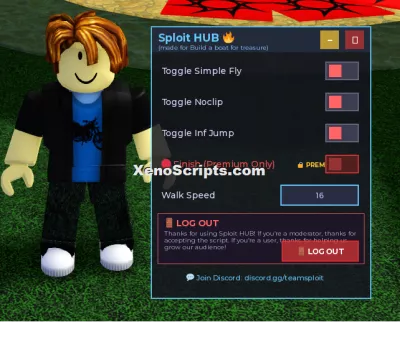
Build a boat for treasure Cheats Menu by Sploit Hub
2,788 views
This is a beta script for Build a boat for treasure and is compatible as of July 31st 2026. This script may receive small updates time to time but will not be one of the major scripts at Sploit Hub.


-- Sploit HUB - Build a Boat for Treasure
-- A draggable GUI script for Roblox BBFT

local Players = game:GetService("Players")
local UserInputService = game:GetService("UserInputService")
local TweenService = game:GetService("TweenService")
local player = Players.LocalPlayer
local mouse = player:GetMouse()

-- Create ScreenGui
local screenGui = Instance.new("ScreenGui")
screenGui.Name = "SploitHUB"
screenGui.Parent = player:WaitForChild("PlayerGui")
screenGui.ResetOnSpawn = false

-- ============================================================
-- TERMS OF SERVICE / AGREEMENT GUI
-- ============================================================
local termsFrame = Instance.new("Frame")
termsFrame.Name = "TermsFrame"
termsFrame.Size = UDim2.new(0, 500, 0, 400)
termsFrame.Position = UDim2.new(0.5, -250, 0.5, -200)
termsFrame.BackgroundColor3 = Color3.fromRGB(10, 10, 20)
termsFrame.BackgroundTransparency = 0.05
termsFrame.BorderSizePixel = 3
termsFrame.BorderColor3 = Color3.fromRGB(255, 50, 50)
termsFrame.ClipsDescendants = true
termsFrame.Parent = screenGui

-- Glow effect (border glow)
local glowBorder = Instance.new("Frame")
glowBorder.Size = UDim2.new(1, 6, 1, 6)
glowBorder.Position = UDim2.new(0, -3, 0, -3)
glowBorder.BackgroundColor3 = Color3.fromRGB(255, 0, 0)
glowBorder.BackgroundTransparency = 0.8
glowBorder.BorderSizePixel = 0
glowBorder.Parent = termsFrame

-- Title with scary effect
local termsTitle = Instance.new("TextLabel")
termsTitle.Size = UDim2.new(1, -40, 0, 60)
termsTitle.Position = UDim2.new(0, 20, 0, 20)
termsTitle.BackgroundTransparency = 1
termsTitle.Text = "⚠️ LEGAL NOTICE ⚠️"
termsTitle.TextColor3 = Color3.fromRGB(255, 50, 50)
termsTitle.TextSize = 28
termsTitle.TextScaled = true
termsTitle.Font = Enum.Font.GothamBold
termsTitle.Parent = termsFrame

-- Scrolling text frame
local termsScrollFrame = Instance.new("ScrollingFrame")
termsScrollFrame.Size = UDim2.new(1, -40, 0, 220)
termsScrollFrame.Position = UDim2.new(0, 20, 0, 90)
termsScrollFrame.BackgroundColor3 = Color3.fromRGB(20, 20, 35)
termsScrollFrame.BackgroundTransparency = 0.3
termsScrollFrame.BorderSizePixel = 1
termsScrollFrame.BorderColor3 = Color3.fromRGB(255, 50, 50)
termsScrollFrame.ScrollBarThickness = 6
termsScrollFrame.ScrollBarImageColor3 = Color3.fromRGB(255, 50, 50)
termsScrollFrame.Parent = termsFrame

local termsText = Instance.new("TextLabel")
termsText.Size = UDim2.new(1, -20, 0, 350)
termsText.Position = UDim2.new(0, 10, 0, 5)
termsText.BackgroundTransparency = 1
termsText.Text = [[
🔴 COPYRIGHT INFRINGEMENT WARNING 🔴

This script is the exclusive property of TeamSploit2026.

By proceeding, you agree to the following terms:

1. This script is for personal use ONLY
2. Copying, redistributing, or claiming this script as your own is STRICTLY PROHIBITED
3. Any unauthorized use will be tracked and reported
4. Your Roblox User ID is being logged for security purposes

⚠️ VIOLATORS WILL BE:
- Banned from all TeamSploit2026 services
- Reported to Roblox administration
- Subject to legal action for copyright infringement
- Publicly exposed as script thieves

📡 Your activity is being monitored by our security systems
🔒 All actions are being recorded and time-stamped

BY CLICKING "I AGREE" YOU ACKNOWLEDGE THAT:
- You have read and understand these terms
- You accept full responsibility for your actions
- You consent to being tracked while using this script
- You understand that violations will result in consequences

This agreement is legally binding and enforceable under international copyright law.

© 2026 TeamSploit2026 - All Rights Reserved
]]
termsText.TextColor3 = Color3.fromRGB(200, 200, 255)
termsText.TextSize = 14
termsText.TextXAlignment = Enum.TextXAlignment.Left
termsText.TextYAlignment = Enum.TextYAlignment.Top
termsText.Font = Enum.Font.GothamSemibold
termsText.Parent = termsScrollFrame

termsScrollFrame.CanvasSize = UDim2.new(0, 0, 0, termsText.Size.Y.Offset + 10)

-- I Agree Button
local agreeButton = Instance.new("TextButton")
agreeButton.Size = UDim2.new(0, 200, 0, 50)
agreeButton.Position = UDim2.new(0.5, -100, 1, -70)
agreeButton.BackgroundColor3 = Color3.fromRGB(0, 200, 50)
agreeButton.BackgroundTransparency = 0.2
agreeButton.BorderSizePixel = 2
agreeButton.BorderColor3 = Color3.fromRGB(0, 255, 100)
agreeButton.Text = "✅ I AGREE"
agreeButton.TextColor3 = Color3.fromRGB(255, 255, 255)
agreeButton.TextSize = 20
agreeButton.Font = Enum.Font.GothamBold
agreeButton.Parent = termsFrame

-- Hover effect for agree button
agreeButton.MouseEnter:Connect(function()
	TweenService:Create(agreeButton, TweenInfo.new(0.2), {BackgroundTransparency = 0.05}):Play()
end)
agreeButton.MouseLeave:Connect(function()
	TweenService:Create(agreeButton, TweenInfo.new(0.2), {BackgroundTransparency = 0.2}):Play()
end)

-- Fake Loading Bar (to scare them more)
local loadingBarBg = Instance.new("Frame")
loadingBarBg.Size = UDim2.new(0.8, 0, 0, 6)
loadingBarBg.Position = UDim2.new(0.1, 0, 1, -30)
loadingBarBg.BackgroundColor3 = Color3.fromRGB(255, 50, 50)
loadingBarBg.BackgroundTransparency = 0.5
loadingBarBg.BorderSizePixel = 0
loadingBarBg.Parent = termsFrame

local loadingBar = Instance.new("Frame")
loadingBar.Size = UDim2.new(0, 0, 1, 0)
loadingBar.BackgroundColor3 = Color3.fromRGB(255, 50, 50)
loadingBar.BorderSizePixel = 0
loadingBar.Parent = loadingBarBg

-- Animate loading bar
local function animateLoadingBar()
	local progress = 0
	while progress < 1 do
		progress = progress + 0.01
		loadingBar.Size = UDim2.new(progress, 0, 1, 0)
		task.wait(0.05)
	end
	task.wait(0.5)
	loadingBar.Size = UDim2.new(0, 0, 1, 0)
end

-- Start fake loading animation
coroutine.wrap(animateLoadingBar)()

-- Agreement flag
local agreed = false

-- ============================================================
-- MAIN GUI (hidden initially)
-- ============================================================
local mainFrame = Instance.new("Frame")
mainFrame.Name = "MainFrame"
mainFrame.Size = UDim2.new(0, 350, 0, 380)
mainFrame.Position = UDim2.new(0.5, -175, 0.5, -190)
mainFrame.BackgroundColor3 = Color3.fromRGB(20, 20, 30)
mainFrame.BackgroundTransparency = 0.15
mainFrame.BorderSizePixel = 2
mainFrame.BorderColor3 = Color3.fromRGB(100, 200, 255)
mainFrame.ClipsDescendants = true
mainFrame.Visible = false
mainFrame.Parent = screenGui

-- Title Bar (for dragging)
local titleBar = Instance.new("Frame")
titleBar.Name = "TitleBar"
titleBar.Size = UDim2.new(1, 0, 0, 40)
titleBar.BackgroundColor3 = Color3.fromRGB(40, 50, 70)
titleBar.BackgroundTransparency = 0.3
titleBar.BorderSizePixel = 0
titleBar.Parent = mainFrame

-- Title Text with subtext
local titleText = Instance.new("TextLabel")
titleText.Name = "TitleText"
titleText.Size = UDim2.new(1, -80, 0.7, 0)
titleText.Position = UDim2.new(0, 10, 0, 2)
titleText.BackgroundTransparency = 1
titleText.Text = "Sploit HUB 🔥"
titleText.TextColor3 = Color3.fromRGB(100, 200, 255)
titleText.TextSize = 20
titleText.TextXAlignment = Enum.TextXAlignment.Left
titleText.Font = Enum.Font.GothamBold
titleText.Parent = titleBar

local subTitle = Instance.new("TextLabel")
subTitle.Size = UDim2.new(1, -80, 0.3, 0)
subTitle.Position = UDim2.new(0, 10, 0, 25)
subTitle.BackgroundTransparency = 1
subTitle.Text = "(made for Build a boat for treasure)"
subTitle.TextColor3 = Color3.fromRGB(150, 200, 255)
subTitle.TextSize = 11
subTitle.TextXAlignment = Enum.TextXAlignment.Left
subTitle.Font = Enum.Font.Gotham
subTitle.Parent = titleBar

-- Close Button
local closeButton = Instance.new("TextButton")
closeButton.Name = "CloseButton"
closeButton.Size = UDim2.new(0, 30, 0, 30)
closeButton.Position = UDim2.new(1, -40, 0, 5)
closeButton.BackgroundColor3 = Color3.fromRGB(200, 50, 50)
closeButton.BackgroundTransparency = 0.3
closeButton.BorderSizePixel = 0
closeButton.Text = "✕"
closeButton.TextColor3 = Color3.fromRGB(255, 255, 255)
closeButton.TextSize = 18
closeButton.Font = Enum.Font.GothamBold
closeButton.Parent = titleBar

-- Minimize Button
local minimizeButton = Instance.new("TextButton")
minimizeButton.Name = "MinimizeButton"
minimizeButton.Size = UDim2.new(0, 30, 0, 30)
minimizeButton.Position = UDim2.new(1, -80, 0, 5)
minimizeButton.BackgroundColor3 = Color3.fromRGB(255, 200, 50)
minimizeButton.BackgroundTransparency = 0.3
minimizeButton.BorderSizePixel = 0
minimizeButton.Text = "−"
minimizeButton.TextColor3 = Color3.fromRGB(255, 255, 255)
minimizeButton.TextSize = 18
minimizeButton.Font = Enum.Font.GothamBold
minimizeButton.Parent = titleBar

-- Content Frame
local contentFrame = Instance.new("Frame")
contentFrame.Name = "ContentFrame"
contentFrame.Size = UDim2.new(1, -20, 1, -60)
contentFrame.Position = UDim2.new(0, 10, 0, 50)
contentFrame.BackgroundTransparency = 1
contentFrame.BorderSizePixel = 0
contentFrame.Parent = mainFrame

-- UIListLayout for content
local uiList = Instance.new("UIListLayout")
uiList.Name = "UIList"
uiList.Padding = UDim.new(0, 10)
uiList.SortOrder = Enum.SortOrder.LayoutOrder
uiList.Parent = contentFrame

-- Toggle Variables
local flyEnabled = false
local noclipEnabled = false
local infJumpEnabled = false
local finishEnabled = false
local flyConnection = nil
local noclipConnection = nil
local infJumpConnection = nil

-- Function to create toggle switch
local function createSwitch(text, initialState, callback, isRed)
	local switchFrame = Instance.new("Frame")
	switchFrame.Name = text:gsub(" ", "")
	switchFrame.Size = UDim2.new(1, 0, 0, 40)
	switchFrame.BackgroundTransparency = 1
	switchFrame.Parent = contentFrame

	local label = Instance.new("TextLabel")
	label.Size = UDim2.new(0.6, -10, 1, 0)
	label.Position = UDim2.new(0, 5, 0, 0)
	label.BackgroundTransparency = 1
	label.Text = text
	if isRed then
		label.TextColor3 = Color3.fromRGB(255, 80, 80)
	else
		label.TextColor3 = Color3.fromRGB(220, 220, 255)
	end
	label.TextSize = 16
	label.TextXAlignment = Enum.TextXAlignment.Left
	label.Font = Enum.Font.GothamSemibold
	label.Parent = switchFrame

	-- Add small premium text if red
	if isRed then
		local premLabel = Instance.new("TextLabel")
		premLabel.Size = UDim2.new(0.3, -10, 0.6, 0)
		premLabel.Position = UDim2.new(0.6, 0, 0.2, 0)
		premLabel.BackgroundTransparency = 1
		premLabel.Text = "🔒 PREMIUM"
		premLabel.TextColor3 = Color3.fromRGB(255, 200, 50)
		premLabel.TextSize = 11
		premLabel.TextXAlignment = Enum.TextXAlignment.Right
		premLabel.Font = Enum.Font.GothamBold
		premLabel.Parent = switchFrame
	end

	-- Switch Background
	local switchBg = Instance.new("Frame")
	switchBg.Size = UDim2.new(0, 50, 0, 26)
	switchBg.Position = UDim2.new(1, -60, 0, 7)
	if isRed then
		switchBg.BackgroundColor3 = Color3.fromRGB(80, 30, 30)
		switchBg.BorderColor3 = Color3.fromRGB(200, 50, 50)
	else
		switchBg.BackgroundColor3 = Color3.fromRGB(60, 60, 80)
		switchBg.BorderColor3 = Color3.fromRGB(100, 100, 120)
	end
	switchBg.BorderSizePixel = 2
	switchBg.Parent = switchFrame

	-- Switch Circle
	local switchCircle = Instance.new("Frame")
	switchCircle.Size = UDim2.new(0, 20, 0, 20)
	switchCircle.Position = initialState and UDim2.new(0, 26, 0, 3) or UDim2.new(0, 4, 0, 3)
	if isRed then
		switchCircle.BackgroundColor3 = initialState and Color3.fromRGB(255, 100, 100) or Color3.fromRGB(150, 50, 50)
	else
		switchCircle.BackgroundColor3 = initialState and Color3.fromRGB(100, 255, 100) or Color3.fromRGB(255, 100, 100)
	end
	switchCircle.BorderSizePixel = 0
	switchCircle.Parent = switchBg

	local state = initialState

	-- Click detection for the whole switch area
	local switchClick = Instance.new("TextButton")
	switchClick.Size = UDim2.new(1, 0, 1, 0)
	switchClick.Position = UDim2.new(0, 0, 0, 0)
	switchClick.BackgroundTransparency = 1
	switchClick.Text = ""
	switchClick.Parent = switchBg

	switchClick.MouseButton1Click:Connect(function()
		if isRed then
			-- Show premium message
			local msg = Instance.new("TextLabel")
			msg.Size = UDim2.new(0, 300, 0, 40)
			msg.Position = UDim2.new(0.5, -150, 0.5, -20)
			msg.BackgroundColor3 = Color3.fromRGB(30, 30, 50)
			msg.BackgroundTransparency = 0.1
			msg.BorderSizePixel = 2
			msg.BorderColor3 = Color3.fromRGB(255, 200, 50)
			msg.Text = "🔒 PREMIUM FEATURE - Join Discord for access!"
			msg.TextColor3 = Color3.fromRGB(255, 200, 50)
			msg.TextSize = 14
			msg.Font = Enum.Font.GothamBold
			msg.Parent = mainFrame

			task.wait(2)
			msg:Destroy()
			return
		end

		state = not state

		-- Animate switch
		local targetPos = state and UDim2.new(0, 26, 0, 3) or UDim2.new(0, 4, 0, 3)
		local targetColor = state and Color3.fromRGB(100, 255, 100) or Color3.fromRGB(255, 100, 100)
		local bgColor = state and Color3.fromRGB(40, 80, 40) or Color3.fromRGB(80, 40, 40)

		TweenService:Create(switchCircle, TweenInfo.new(0.15), {Position = targetPos, BackgroundColor3 = targetColor}):Play()
		TweenService:Create(switchBg, TweenInfo.new(0.15), {BackgroundColor3 = bgColor}):Play()

		callback(state)
	end)

	return switchBg
end

-- Function to create text box
local function createTextBox(text, placeholder, callback)
	local boxFrame = Instance.new("Frame")
	boxFrame.Name = text:gsub(" ", "")
	boxFrame.Size = UDim2.new(1, 0, 0, 40)
	boxFrame.BackgroundTransparency = 1
	boxFrame.Parent = contentFrame

	local label = Instance.new("TextLabel")
	label.Size = UDim2.new(0.5, -10, 1, 0)
	label.Position = UDim2.new(0, 5, 0, 0)
	label.BackgroundTransparency = 1
	label.Text = text
	label.TextColor3 = Color3.fromRGB(220, 220, 255)
	label.TextSize = 16
	label.TextXAlignment = Enum.TextXAlignment.Left
	label.Font = Enum.Font.GothamSemibold
	label.Parent = boxFrame

	local textBox = Instance.new("TextBox")
	textBox.Size = UDim2.new(0.4, -10, 1, -10)
	textBox.Position = UDim2.new(0.6, 0, 0, 5)
	textBox.BackgroundColor3 = Color3.fromRGB(40, 45, 65)
	textBox.BorderSizePixel = 2
	textBox.BorderColor3 = Color3.fromRGB(100, 200, 255)
	textBox.Text = placeholder
	textBox.TextColor3 = Color3.fromRGB(200, 200, 255)
	textBox.TextSize = 14
	textBox.Font = Enum.Font.GothamSemibold
	textBox.PlaceholderText = placeholder
	textBox.ClearTextOnFocus = false
	textBox.Parent = boxFrame

	textBox.FocusLost:Connect(function(enterPressed)
		if enterPressed then
			local num = tonumber(textBox.Text)
			if num and num > 0 then
				callback(num)
			else
				textBox.Text = placeholder
			end
		end
	end)

	return textBox
end

-- Create Toggles
createSwitch("Toggle Simple Fly", false, function(state)
	flyEnabled = state
	if flyEnabled then
		-- Simple Fly Script
		local flying = false
		local bodyVelocity = Instance.new("BodyVelocity")
		bodyVelocity.MaxForce = Vector3.new(100000, 100000, 100000)

		local function startFly()
			if not player.Character or not player.Character:FindFirstChild("HumanoidRootPart") then return end
			flying = true
			bodyVelocity.Parent = player.Character.HumanoidRootPart
			bodyVelocity.Velocity = Vector3.new(0, 0, 0)

			-- Movement detection
			local connection
			connection = game:GetService("RunService").Heartbeat:Connect(function()
				if not flying or not player.Character or not player.Character:FindFirstChild("HumanoidRootPart") then
					if connection then connection:Disconnect() end
					return
				end

				local moveVector = Vector3.new(0, 0, 0)
				if UserInputService:IsKeyDown(Enum.KeyCode.W) then moveVector = moveVector + Vector3.new(0, 0, -1) end
				if UserInputService:IsKeyDown(Enum.KeyCode.S) then moveVector = moveVector + Vector3.new(0, 0, 1) end
				if UserInputService:IsKeyDown(Enum.KeyCode.A) then moveVector = moveVector + Vector3.new(-1, 0, 0) end
				if UserInputService:IsKeyDown(Enum.KeyCode.D) then moveVector = moveVector + Vector3.new(1, 0, 0) end
				if UserInputService:IsKeyDown(Enum.KeyCode.Space) then moveVector = moveVector + Vector3.new(0, 1, 0) end
				if UserInputService:IsKeyDown(Enum.KeyCode.LeftShift) then moveVector = moveVector + Vector3.new(0, -1, 0) end

				if moveVector.Magnitude > 0 then
					moveVector = moveVector.Unit * 50
					bodyVelocity.Velocity = moveVector
				else
					bodyVelocity.Velocity = Vector3.new(0, 0, 0)
				end
			end)
		end

		local function stopFly()
			flying = false
			if bodyVelocity.Parent then
				bodyVelocity.Parent = nil
			end
		end

		flyConnection = game:GetService("RunService").Heartbeat:Connect(function()
			if flyEnabled then
				if player.Character and player.Character:FindFirstChild("HumanoidRootPart") then
					if not bodyVelocity.Parent then
						startFly()
					end
				end
			else
				stopFly()
			end
		end)

	else
		if flyConnection then
			flyConnection:Disconnect()
			flyConnection = nil
		end
		-- Clean up bodyVelocity
		if player.Character and player.Character:FindFirstChild("HumanoidRootPart") then
			local bv = player.Character.HumanoidRootPart:FindFirstChild("BodyVelocity")
			if bv then bv:Destroy() end
		end
	end
end)

createSwitch("Toggle Noclip", false, function(state)
	noclipEnabled = state
	if noclipEnabled then
		noclipConnection = game:GetService("RunService").Stepped:Connect(function()
			if noclipEnabled and player.Character then
				for _, part in ipairs(player.Character:GetDescendants()) do
					if part:IsA("BasePart") then
						part.CanCollide = false
					end
				end
			end
		end)
	else
		if noclipConnection then
			noclipConnection:Disconnect()
			noclipConnection = nil
		end
		if player.Character then
			for _, part in ipairs(player.Character:GetDescendants()) do
				if part:IsA("BasePart") then
					part.CanCollide = true
				end
			end
		end
	end
end)

createSwitch("Toggle Inf Jump", false, function(state)
	infJumpEnabled = state
	if infJumpEnabled then
		infJumpConnection = game:GetService("UserInputService").JumpRequest:Connect(function()
			if infJumpEnabled and player.Character and player.Character:FindFirstChild("Humanoid") then
				player.Character.Humanoid:ChangeState(Enum.HumanoidStateType.Jumping)
			end
		end)
	else
		if infJumpConnection then
			infJumpConnection:Disconnect()
			infJumpConnection = nil
		end
	end
end)

-- Premium Finish Toggle (RED)
createSwitch("🔴 Finish (Premium Only)", false, function(state)
	finishEnabled = state
	if finishEnabled then
		-- This would be your finish script
		print("FINISH ACTIVATED - Premium feature")
		-- Add finish code here
	else
		print("FINISH DEACTIVATED")
	end
end, true) -- true = red mode

-- Walk Speed Text Box
local walkSpeedBox = createTextBox("Walk Speed", "16", function(value)
	if player.Character and player.Character:FindFirstChild("Humanoid") then
		player.Character.Humanoid.WalkSpeed = value
	end
end)

-- ============================================================
-- LOG OUT SECTION
-- ============================================================
local logoutSection = Instance.new("Frame")
logoutSection.Size = UDim2.new(1, 0, 0, 80)
logoutSection.BackgroundColor3 = Color3.fromRGB(30, 20, 40)
logoutSection.BackgroundTransparency = 0.2
logoutSection.BorderSizePixel = 1
logoutSection.BorderColor3 = Color3.fromRGB(255, 100, 100)
logoutSection.Parent = contentFrame

local logoutHeader = Instance.new("TextLabel")
logoutHeader.Size = UDim2.new(1, -20, 0, 20)
logoutHeader.Position = UDim2.new(0, 10, 0, 5)
logoutHeader.BackgroundTransparency = 1
logoutHeader.Text = "🚪 LOG OUT"
logoutHeader.TextColor3 = Color3.fromRGB(255, 100, 100)
logoutHeader.TextSize = 16
logoutHeader.TextXAlignment = Enum.TextXAlignment.Left
logoutHeader.Font = Enum.Font.GothamBold
logoutHeader.Parent = logoutSection

local logoutMessage = Instance.new("TextLabel")
logoutMessage.Size = UDim2.new(1, -20, 0, 35)
logoutMessage.Position = UDim2.new(0, 10, 0, 25)
logoutMessage.BackgroundTransparency = 1
logoutMessage.Text = "Thanks for using Sploit HUB! If you're a moderator, thanks for accepting the script. If you're a user, thanks for helping us grow our audience!"
logoutMessage.TextColor3 = Color3.fromRGB(180, 180, 220)
logoutMessage.TextSize = 11
logoutMessage.TextXAlignment = Enum.TextXAlignment.Left
logoutMessage.TextYAlignment = Enum.TextYAlignment.Top
logoutMessage.Font = Enum.Font.Gotham
logoutMessage.TextWrapped = true
logoutMessage.Parent = logoutSection

local logoutButton = Instance.new("TextButton")
logoutButton.Size = UDim2.new(0, 120, 0, 30)
logoutButton.Position = UDim2.new(1, -130, 0, 45)
logoutButton.BackgroundColor3 = Color3.fromRGB(200, 50, 50)
logoutButton.BackgroundTransparency = 0.2
logoutButton.BorderSizePixel = 2
logoutButton.BorderColor3 = Color3.fromRGB(255, 50, 50)
logoutButton.Text = "🚪 LOG OUT"
logoutButton.TextColor3 = Color3.fromRGB(255, 255, 255)
logoutButton.TextSize = 14
logoutButton.Font = Enum.Font.GothamBold
logoutButton.Parent = logoutSection

-- Hover effect for logout button
logoutButton.MouseEnter:Connect(function()
	TweenService:Create(logoutButton, TweenInfo.new(0.2), {BackgroundTransparency = 0.05}):Play()
end)
logoutButton.MouseLeave:Connect(function()
	TweenService:Create(logoutButton, TweenInfo.new(0.2), {BackgroundTransparency = 0.2}):Play()
end)

-- Logout functionality
logoutButton.MouseButton1Click:Connect(function()
	-- Create fade effect
	TweenService:Create(mainFrame, TweenInfo.new(0.5), {BackgroundTransparency = 1}):Play()
	TweenService:Create(contentFrame, TweenInfo.new(0.5), {BackgroundTransparency = 1}):Play()
	TweenService:Create(titleBar, TweenInfo.new(0.5), {BackgroundTransparency = 1}):Play()

	task.wait(0.5)
	screenGui:Destroy()
end)

-- Discord link label
local discordLabel = Instance.new("TextLabel")
discordLabel.Size = UDim2.new(1, -20, 0, 25)
discordLabel.BackgroundTransparency = 1
discordLabel.Text = "💬 Join Discord: discord.gg/teamsploit"
discordLabel.TextColor3 = Color3.fromRGB(100, 200, 255)
discordLabel.TextSize = 13
discordLabel.TextXAlignment = Enum.TextXAlignment.Center
discordLabel.Font = Enum.Font.GothamSemibold
discordLabel.Parent = contentFrame

-- Update canvas size
local function updateCanvasSize()
	local totalHeight = 0
	for _, child in pairs(contentFrame:GetChildren()) do
		if child:IsA("Frame") or child:IsA("TextLabel") then
			totalHeight = totalHeight + child.Size.Y.Offset + 10
		end
	end
	-- Set frame height based on content
	local newHeight = math.max(380, totalHeight + 60)
	mainFrame.Size = UDim2.new(0, 350, 0, newHeight)
end

-- Wait for all elements to load
task.wait(0.1)
updateCanvasSize()

-- Dragging functionality for main frame
local dragging = false
local dragInput
local dragStart
local startPos

local function updatePosition(input)
	local delta = input.Position - dragStart
	mainFrame.Position = UDim2.new(
		startPos.X.Scale,
		startPos.X.Offset + delta.X,
		startPos.Y.Scale,
		startPos.Y.Offset + delta.Y
	)
end

titleBar.InputBegan:Connect(function(input)
	if input.UserInputType == Enum.UserInputType.MouseButton1 or input.UserInputType == Enum.UserInputType.Touch then
		dragging = true
		dragStart = input.Position
		startPos = mainFrame.Position

		input.Changed:Connect(function()
			if input.UserInputState == Enum.UserInputState.End then
				dragging = false
			end
		end)
	end
end)

titleBar.InputChanged:Connect(function(input)
	if input.UserInputType == Enum.UserInputType.MouseMovement or input.UserInputType == Enum.UserInputType.Touch then
		dragInput = input
	end
end)

UserInputService.InputChanged:Connect(function(input)
	if input == dragInput and dragging then
		updatePosition(input)
	end
end)

-- Close button functionality
closeButton.MouseButton1Click:Connect(function()
	screenGui:Destroy()
end)

-- Minimize button functionality
local minimized = false
local originalSize = mainFrame.Size

minimizeButton.MouseButton1Click:Connect(function()
	minimized = not minimized
	if minimized then
		mainFrame.Size = UDim2.new(0, 350, 0, 40)
		contentFrame.Visible = false
		minimizeButton.Text = "+"
	else
		mainFrame.Size = originalSize
		contentFrame.Visible = true
		minimizeButton.Text = "−"
	end
end)

-- ============================================================
-- AGREEMENT BUTTON LOGIC
-- ============================================================
agreeButton.MouseButton1Click:Connect(function()
	if not agreed then
		agreed = true

		-- Flash effect
		TweenService:Create(termsFrame, TweenInfo.new(0.3), {BackgroundTransparency = 0.5}):Play()
		task.wait(0.3)

		-- Hide terms and show main GUI
		termsFrame.Visible = false
		mainFrame.Visible = true

		-- Play a little animation for main frame
		mainFrame.Position = UDim2.new(0.5, -175, 0.5, -150)
		TweenService:Create(mainFrame, TweenInfo.new(0.5, Enum.EasingStyle.Bounce), {Position = UDim2.new(0.5, -175, 0.5, -140)}):Play()

		-- Log agreement (fake tracking)
		print("User agreed to terms - UserID: " .. player.UserId)
		print("Time: " .. os.date("%Y-%m-%d %H:%M:%S"))
		print("⚠️ This session is being monitored ⚠️")
	else
		-- If they already agreed but somehow clicked again
		termsFrame.Visible = false
		mainFrame.Visible = true
	end
end)

-- ============================================================
-- ANTI-AFK
-- ============================================================
local function antiAFK()
	local vu = game:GetService("VirtualUser")
	game:GetService("Players").LocalPlayer.Idled:Connect(function()
		vu:Button2Down(Vector2.new(0,0), workspace.CurrentCamera.CFrame)
		task.wait(1)
		vu:Button2Up(Vector2.new(0,0), workspace.CurrentCamera.CFrame)
	end)
end
antiAFK()

print("Sploit HUB loaded successfully!")
print("User: " .. player.Name .. " | UserID: " .. player.UserId)
print("⚠️ This script is property of TeamSploit2026 ⚠️")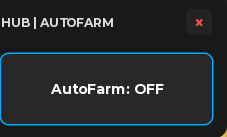
Build A Boat For Treasure
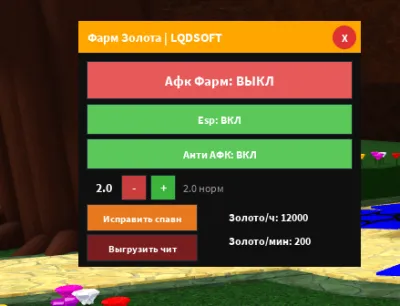
Build A Boat For Treasure
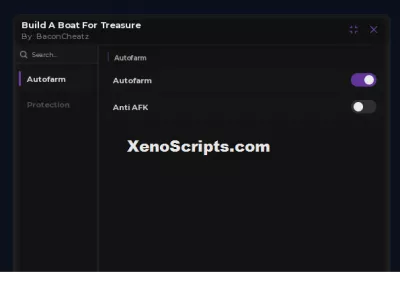
Build A Boat For Treasure

Build A Boat For Treasure
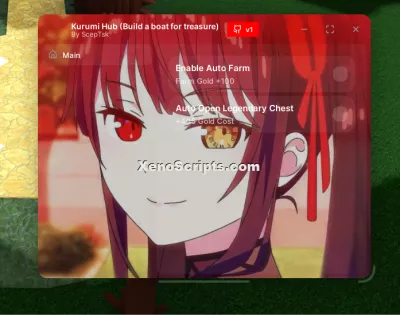
Build a boat for treasure
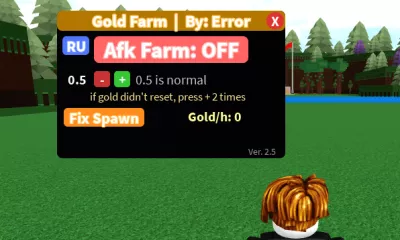
Build A Boat For Treasure
Boosting rockets this script to #1 on the homepage. A free account takes 30 seconds.
Log inGrab boosts and rocket your favorite scripts to the top — plus join the booster wall with the RGB ring.
⚡ Go Pro — 10 boosts/month + zero adsIt jumps to #1 in Recent Scripts and your avatar joins the booster wall.

Comments (0)
Log in to add a comment.