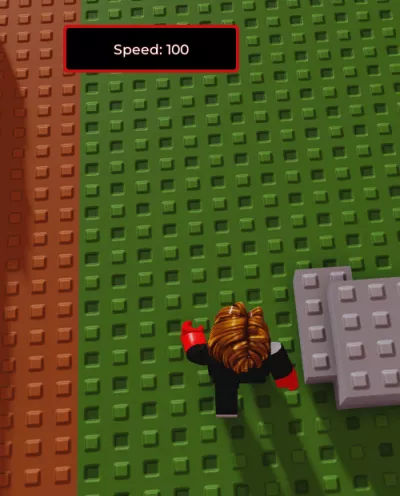
c00lkid walkspeed override c00lgui
1,781 views
this script will make you go 5 times faster for 5 seconds.


-- LocalScript (place inside StarterPlayerScripts)
local Players = game:GetService("Players")
local player = Players.LocalPlayer

-- create ScreenGui
local screenGui = Instance.new("ScreenGui")
screenGui.Name = "SpeedButtonGui"
screenGui.ResetOnSpawn = true
screenGui.Parent = player:WaitForChild("PlayerGui")

-- create a border frame to ensure a visible red outline
local border = Instance.new("Frame")
border.Name = "Border"
border.Parent = screenGui
border.Size = UDim2.new(0, 220, 0, 60)       -- outer size (border included)
border.Position = UDim2.new(0.5, -110, 0.05, 0)
border.AnchorPoint = Vector2.new(0.5, 0)
border.BackgroundColor3 = Color3.fromRGB(200, 18, 18) -- strong red outline
border.BorderSizePixel = 0

local borderCorner = Instance.new("UICorner", border)
borderCorner.CornerRadius = UDim.new(0, 6)

-- inner button sits inside the border, slightly smaller so red shows as outline
local btn = Instance.new("TextButton")
btn.Name = "SpeedButton"
btn.Parent = border
btn.Size = UDim2.new(1, -8, 1, -8)  -- leaves 4px padding on each side
btn.Position = UDim2.new(0, 4, 0, 4)
btn.AnchorPoint = Vector2.new(0, 0)

-- appearance to resemble your screenshot: black interior, white text
btn.BackgroundColor3 = Color3.fromRGB(0, 0, 0)
btn.BorderSizePixel = 0
btn.Text = "click here 4 free speed"            -- requested text
btn.Font = Enum.Font.GothamSemibold
btn.TextSize = 20
btn.TextColor3 = Color3.fromRGB(255, 255, 255)
btn.AutoButtonColor = true

local btnCorner = Instance.new("UICorner", btn)
btnCorner.CornerRadius = UDim.new(0, 4)

-- small inner stroke to sharpen the inner edge (optional, keeps red outline dominant)
local innerStroke = Instance.new("UIStroke", btn)
innerStroke.Thickness = 1
innerStroke.Color = Color3.fromRGB(120, 10, 10)
innerStroke.Transparency = 0.5

-- optional padding so text sits nicely
local padding = Instance.new("UIPadding", btn)
padding.PaddingLeft = UDim.new(0, 6)
padding.PaddingRight = UDim.new(0, 6)

-- click behavior: set WalkSpeed to 100 for 5s, then restore
local debounce = false
local DEFAULT_WALKSPEED = 16

local function getHumanoid()
	local char = player.Character or player.CharacterAdded:Wait()
	return char:FindFirstChildOfClass("Humanoid") or char:WaitForChild("Humanoid", 5)
end

btn.MouseButton1Click:Connect(function()
	if debounce then return end
	debounce = true

	local humanoid = getHumanoid()
	if not humanoid then
		btn.Text = "No humanoid found"
		wait(1.5)
		btn.Text = "click here 4 free speed"
		debounce = false
		return
	end

	local previousSpeed = humanoid.WalkSpeed
	humanoid.WalkSpeed = 100
	btn.Text = "Speed: 100"

	local duration = 5
	delay(duration, function()
		if humanoid and humanoid.Parent then
			humanoid.WalkSpeed = previousSpeed or DEFAULT_WALKSPEED
		end
		if btn and btn.Parent then
			btn.Text = "click here 4 free speed"
		end
		debounce = false
	end)
end)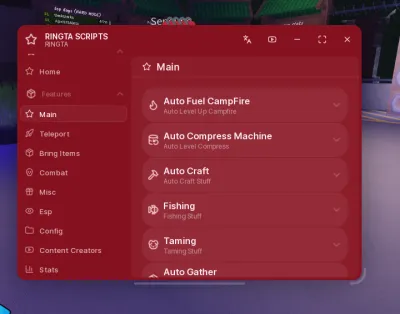
99 Nights in the Forest

99 Nights in the forest
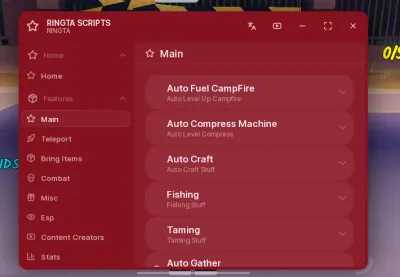
99 Nights in the Forest

99 Nights in the Forest

99 Nights In The Forest
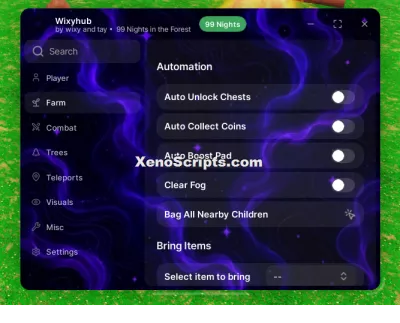
99 nights in the forest
Boosting rockets this script to #1 on the homepage. A free account takes 30 seconds.
Log inGrab boosts and rocket your favorite scripts to the top — plus join the booster wall with the RGB ring.
⚡ Go Pro — 10 boosts/month + zero adsIt jumps to #1 in Recent Scripts and your avatar joins the booster wall.

Comments (0)
Log in to add a comment.