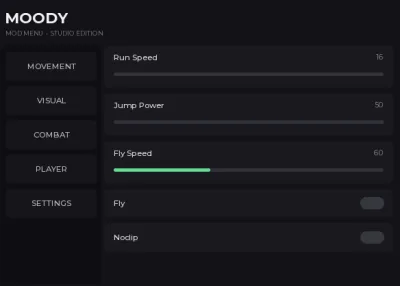
MOODY's mod menu
2,494 views
This is MOODY's mod menu it works in streetz wars 2 MM2 and Da Hood and more currently it doesn't have to much options but it works in alot of games it has fly run speed fly speed jump power and more hope you like (also I'm new so it isn't much but its still an exploit)


--// MOODY MOD MENU
--// For your own Roblox Studio experience
--// Place in StarterPlayer > StarterPlayerScripts

local Players = game:GetService("Players")
local UserInputService = game:GetService("UserInputService")
local RunService = game:GetService("RunService")
local TweenService = game:GetService("TweenService")
local Camera = workspace.CurrentCamera

local LocalPlayer = Players.LocalPlayer

--==================================================
-- SETTINGS
--==================================================

local Settings = {
	Fly = false,
	Noclip = false,
	ESP = false,
	AimAssist = false,
	InfiniteStamina = false,

	WalkSpeed = 16,
	JumpPower = 50,
	FOV = 70,

	FlySpeed = 60,
	AimFOV = 120,

	MenuKey = Enum.KeyCode.RightShift,
}

--==================================================
-- CHARACTER
--==================================================

local Character
local Humanoid
local Root

local function updateCharacter()
	Character = LocalPlayer.Character or LocalPlayer.CharacterAdded:Wait()
	Humanoid = Character:WaitForChild("Humanoid")
	Root = Character:WaitForChild("HumanoidRootPart")

	Humanoid.WalkSpeed = Settings.WalkSpeed
	Humanoid.JumpPower = Settings.JumpPower
end

updateCharacter()

LocalPlayer.CharacterAdded:Connect(function()
	task.wait(0.5)
	updateCharacter()
end)

--==================================================
-- GUI
--==================================================

local Gui = Instance.new("ScreenGui")
Gui.Name = "MoodyMenu"
Gui.ResetOnSpawn = false
Gui.ZIndexBehavior = Enum.ZIndexBehavior.Sibling
Gui.Parent = LocalPlayer:WaitForChild("PlayerGui")

local Main = Instance.new("Frame")
Main.Name = "Main"
Main.Size = UDim2.fromOffset(600, 430)
Main.Position = UDim2.fromScale(0.5, 0.5)
Main.AnchorPoint = Vector2.new(0.5, 0.5)
Main.BackgroundColor3 = Color3.fromRGB(18, 18, 22)
Main.BorderSizePixel = 0
Main.Parent = Gui

local MainCorner = Instance.new("UICorner")
MainCorner.CornerRadius = UDim.new(0, 12)
MainCorner.Parent = Main

local Stroke = Instance.new("UIStroke")
Stroke.Color = Color3.fromRGB(55, 55, 65)
Stroke.Thickness = 1
Stroke.Parent = Main

--==================================================
-- TITLE
--==================================================

local Title = Instance.new("TextLabel")
Title.Size = UDim2.new(1, -30, 0, 45)
Title.Position = UDim2.fromOffset(15, 8)
Title.BackgroundTransparency = 1
Title.Text = "MOODY"
Title.Font = Enum.Font.GothamBold
Title.TextSize = 26
Title.TextColor3 = Color3.fromRGB(240, 240, 245)
Title.TextXAlignment = Enum.TextXAlignment.Left
Title.Parent = Main

local Subtitle = Instance.new("TextLabel")
Subtitle.Size = UDim2.new(1, -30, 0, 20)
Subtitle.Position = UDim2.fromOffset(16, 42)
Subtitle.BackgroundTransparency = 1
Subtitle.Text = "MOD MENU  •  STUDIO EDITION"
Subtitle.Font = Enum.Font.Gotham
Subtitle.TextSize = 10
Subtitle.TextColor3 = Color3.fromRGB(120, 120, 135)
Subtitle.TextXAlignment = Enum.TextXAlignment.Left
Subtitle.Parent = Main

--==================================================
-- SIDEBAR
--==================================================

local Sidebar = Instance.new("Frame")
Sidebar.Size = UDim2.fromOffset(145, 350)
Sidebar.Position = UDim2.fromOffset(10, 70)
Sidebar.BackgroundColor3 = Color3.fromRGB(14, 14, 18)
Sidebar.BorderSizePixel = 0
Sidebar.Parent = Main

local SidebarCorner = Instance.new("UICorner")
SidebarCorner.CornerRadius = UDim.new(0, 8)
SidebarCorner.Parent = Sidebar

local Content = Instance.new("Frame")
Content.Size = UDim2.new(1, -170, 1, -80)
Content.Position = UDim2.fromOffset(160, 70)
Content.BackgroundTransparency = 1
Content.Parent = Main

local Pages = {}

local function createPage(name)
	local Page = Instance.new("ScrollingFrame")
	Page.Name = name
	Page.Size = UDim2.fromScale(1, 1)
	Page.BackgroundTransparency = 1
	Page.BorderSizePixel = 0
	Page.ScrollBarThickness = 4
	Page.CanvasSize = UDim2.new(0, 0, 0, 0)
	Page.Visible = false
	Page.Parent = Content

	local Layout = Instance.new("UIListLayout")
	Layout.Padding = UDim.new(0, 8)
	Layout.Parent = Page

	Layout:GetPropertyChangedSignal("AbsoluteContentSize"):Connect(function()
		Page.CanvasSize = UDim2.fromOffset(
			0,
			Layout.AbsoluteContentSize.Y + 10
		)
	end)

	Pages[name] = Page
	return Page
end

local MovementPage = createPage("Movement")
local VisualPage = createPage("Visual")
local CombatPage = createPage("Combat")
local PlayerPage = createPage("Player")
local SettingsPage = createPage("Settings")

local function showPage(name)
	for pageName, page in pairs(Pages) do
		page.Visible = pageName == name
	end
end

showPage("Movement")

--==================================================
-- SIDEBAR BUTTONS
--==================================================

local function sidebarButton(text, pageName, y)
	local Button = Instance.new("TextButton")
	Button.Size = UDim2.new(1, -12, 0, 42)
	Button.Position = UDim2.fromOffset(6, y)
	Button.BackgroundColor3 = Color3.fromRGB(22, 22, 27)
	Button.Text = text
	Button.Font = Enum.Font.GothamMedium
	Button.TextSize = 13
	Button.TextColor3 = Color3.fromRGB(185, 185, 195)
	Button.AutoButtonColor = false
	Button.Parent = Sidebar

	local Corner = Instance.new("UICorner")
	Corner.CornerRadius = UDim.new(0, 7)
	Corner.Parent = Button

	Button.MouseButton1Click:Connect(function()
		showPage(pageName)
	end)

	Button.MouseEnter:Connect(function()
		TweenService:Create(
			Button,
			TweenInfo.new(0.15),
			{BackgroundColor3 = Color3.fromRGB(35, 35, 43)}
		):Play()
	end)

	Button.MouseLeave:Connect(function()
		TweenService:Create(
			Button,
			TweenInfo.new(0.15),
			{BackgroundColor3 = Color3.fromRGB(22, 22, 27)}
		):Play()
	end)
end

sidebarButton("MOVEMENT", "Movement", 10)
sidebarButton("VISUAL", "Visual", 60)
sidebarButton("COMBAT", "Combat", 110)
sidebarButton("PLAYER", "Player", 160)
sidebarButton("SETTINGS", "Settings", 210)

--==================================================
-- UI HELPERS
--==================================================

local function createToggle(parent, text, default, callback)
	local Button = Instance.new("TextButton")
	Button.Size = UDim2.new(1, -8, 0, 42)
	Button.BackgroundColor3 = Color3.fromRGB(25, 25, 31)
	Button.BorderSizePixel = 0
	Button.AutoButtonColor = false
	Button.Text = ""
	Button.Parent = parent

	local Corner = Instance.new("UICorner")
	Corner.CornerRadius = UDim.new(0, 7)
	Corner.Parent = Button

	local Label = Instance.new("TextLabel")
	Label.Size = UDim2.new(1, -70, 1, 0)
	Label.Position = UDim2.fromOffset(14, 0)
	Label.BackgroundTransparency = 1
	Label.Text = text
	Label.Font = Enum.Font.GothamMedium
	Label.TextSize = 13
	Label.TextColor3 = Color3.fromRGB(220, 220, 225)
	Label.TextXAlignment = Enum.TextXAlignment.Left
	Label.Parent = Button

	local Indicator = Instance.new("Frame")
	Indicator.Size = UDim2.fromOffset(35, 18)
	Indicator.Position = UDim2.new(1, -48, 0.5, -9)
	Indicator.BackgroundColor3 = Color3.fromRGB(55, 55, 62)
	Indicator.Parent = Button

	local IC = Instance.new("UICorner")
	IC.CornerRadius = UDim.new(1, 0)
	IC.Parent = Indicator

	local enabled = default

	local function refresh()
		Indicator.BackgroundColor3 = enabled
			and Color3.fromRGB(100, 220, 150)
			or Color3.fromRGB(55, 55, 62)

		callback(enabled)
	end

	Button.MouseButton1Click:Connect(function()
		enabled = not enabled
		refresh()
	end)

	refresh()

	return Button
end

local function createSlider(parent, text, min, max, default, callback)
	local Frame = Instance.new("Frame")
	Frame.Size = UDim2.new(1, -8, 0, 62)
	Frame.BackgroundColor3 = Color3.fromRGB(25, 25, 31)
	Frame.BorderSizePixel = 0
	Frame.Parent = parent

	local Corner = Instance.new("UICorner")
	Corner.CornerRadius = UDim.new(0, 7)
	Corner.Parent = Frame

	local Label = Instance.new("TextLabel")
	Label.Size = UDim2.new(0.7, 0, 0, 25)
	Label.Position = UDim2.fromOffset(14, 5)
	Label.BackgroundTransparency = 1
	Label.Text = text
	Label.Font = Enum.Font.GothamMedium
	Label.TextSize = 13
	Label.TextColor3 = Color3.fromRGB(220, 220, 225)
	Label.TextXAlignment = Enum.TextXAlignment.Left
	Label.Parent = Frame

	local ValueLabel = Instance.new("TextLabel")
	ValueLabel.Size = UDim2.new(0.3, -14, 0, 25)
	ValueLabel.Position = UDim2.new(0.7, 0, 0, 5)
	ValueLabel.BackgroundTransparency = 1
	ValueLabel.Font = Enum.Font.Gotham
	ValueLabel.TextSize = 12
	ValueLabel.TextColor3 = Color3.fromRGB(140, 140, 150)
	ValueLabel.TextXAlignment = Enum.TextXAlignment.Right
	ValueLabel.Parent = Frame

	local Bar = Instance.new("Frame")
	Bar.Size = UDim2.new(1, -28, 0, 5)
	Bar.Position = UDim2.fromOffset(14, 40)
	Bar.BackgroundColor3 = Color3.fromRGB(50, 50, 58)
	Bar.BorderSizePixel = 0
	Bar.Parent = Frame

	local BC = Instance.new("UICorner")
	BC.CornerRadius = UDim.new(1, 0)
	BC.Parent = Bar

	local Fill = Instance.new("Frame")
	Fill.Size = UDim2.fromScale(
		(default - min) / (max - min),
		1
	)
	Fill.BackgroundColor3 = Color3.fromRGB(100, 220, 150)
	Fill.BorderSizePixel = 0
	Fill.Parent = Bar

	local FC = Instance.new("UICorner")
	FC.CornerRadius = UDim.new(1, 0)
	FC.Parent = Fill

	local dragging = false

	local function setValue(value)
		value = math.clamp(value, min, max)
		value = math.floor(value)

		local percent = (value - min) / (max - min)

		Fill.Size = UDim2.fromScale(percent, 1)
		ValueLabel.Text = tostring(value)

		callback(value)
	end

	Bar.InputBegan:Connect(function(input)
		if input.UserInputType == Enum.UserInputType.MouseButton1 then
			dragging = true
		end
	end)

	UserInputService.InputEnded:Connect(function(input)
		if input.UserInputType == Enum.UserInputType.MouseButton1 then
			dragging = false
		end
	end)

	UserInputService.InputChanged:Connect(function(input)
		if dragging and input.UserInputType == Enum.UserInputType.MouseMovement then
			local percent = math.clamp(
				(input.Position.X - Bar.AbsolutePosition.X)
				/ Bar.AbsoluteSize.X,
				0,
				1
			)

			setValue(min + (max - min) * percent)
		end
	end)

	setValue(default)

	return Frame
end

--==================================================
-- MOVEMENT
--==================================================

createToggle(MovementPage, "Fly", false, function(enabled)
	Settings.Fly = enabled
end)

createToggle(MovementPage, "Noclip", false, function(enabled)
	Settings.Noclip = enabled
end)

createSlider(
	MovementPage,
	"Run Speed",
	16,
	100,
	16,
	function(value)
		Settings.WalkSpeed = value

		if Humanoid then
			Humanoid.WalkSpeed = value
		end
	end
)

createSlider(
	MovementPage,
	"Jump Power",
	50,
	150,
	50,
	function(value)
		Settings.JumpPower = value

		if Humanoid then
			Humanoid.JumpPower = value
		end
	end
)

createSlider(
	MovementPage,
	"Fly Speed",
	10,
	150,
	60,
	function(value)
		Settings.FlySpeed = value
	end
)

--==================================================
-- VISUAL
--==================================================

createToggle(VisualPage, "Player ESP", false, function(enabled)
	Settings.ESP = enabled
end)

createSlider(
	VisualPage,
	"Camera FOV",
	50,
	120,
	70,
	function(value)
		Settings.FOV = value
		Camera.FieldOfView = value
	end
)

--==================================================
-- COMBAT
--==================================================

createToggle(CombatPage, "Aim Assist", false, function(enabled)
	Settings.AimAssist = enabled
end)

createSlider(
	CombatPage,
	"Aim FOV",
	20,
	300,
	120,
	function(value)
		Settings.AimFOV = value
	end
)

createToggle(CombatPage, "Infinite Stamina", false, function(enabled)
	Settings.InfiniteStamina = enabled
end)

--==================================================
-- PLAYER
--==================================================

local TeleportLabel = Instance.new("TextLabel")
TeleportLabel.Size = UDim2.new(1, -8, 0, 35)
TeleportLabel.BackgroundTransparency = 1
TeleportLabel.Text = "TELEPORT TO PLAYER"
TeleportLabel.Font = Enum.Font.GothamBold
TeleportLabel.TextSize = 12
TeleportLabel.TextColor3 = Color3.fromRGB(140, 140, 150)
TeleportLabel.TextXAlignment = Enum.TextXAlignment.Left
TeleportLabel.Parent = PlayerPage

local function teleportTo(player)
	if player.Character and player.Character:FindFirstChild("HumanoidRootPart") and Root then
		Root.CFrame =
			player.Character.HumanoidRootPart.CFrame
			+ Vector3.new(0, 3, 0)
	end
end

local function rebuildPlayers()
	for _, child in ipairs(PlayerPage:GetChildren()) do
		if child:IsA("TextButton") then
			child:Destroy()
		end
	end

	for _, player in ipairs(Players:GetPlayers()) do
		if player ~= LocalPlayer then
			local Button = Instance.new("TextButton")
			Button.Size = UDim2.new(1, -8, 0, 38)
			Button.BackgroundColor3 = Color3.fromRGB(25, 25, 31)
			Button.BorderSizePixel = 0
			Button.Text = player.DisplayName
			Button.Font = Enum.Font.GothamMedium
			Button.TextSize = 12
			Button.TextColor3 = Color3.fromRGB(220, 220, 225)
			Button.Parent = PlayerPage

			local Corner = Instance.new("UICorner")
			Corner.CornerRadius = UDim.new(0, 7)
			Corner.Parent = Button

			Button.MouseButton1Click:Connect(function()
				teleportTo(player)
			end)
		end
	end
end

rebuildPlayers()

Players.PlayerAdded:Connect(rebuildPlayers)
Players.PlayerRemoving:Connect(rebuildPlayers)

--==================================================
-- SETTINGS PAGE
--==================================================

local KeybindLabel = Instance.new("TextLabel")
KeybindLabel.Size = UDim2.new(1, -8, 0, 42)
KeybindLabel.BackgroundColor3 = Color3.fromRGB(25, 25, 31)
KeybindLabel.Text =
	"  Menu Key: " .. Settings.MenuKey.Name
KeybindLabel.Font = Enum.Font.GothamMedium
KeybindLabel.TextSize = 13
KeybindLabel.TextColor3 = Color3.fromRGB(220, 220, 225)
KeybindLabel.TextXAlignment = Enum.TextXAlignment.Left
KeybindLabel.Parent = SettingsPage

local KC = Instance.new("UICorner")
KC.CornerRadius = UDim.new(0, 7)
KC.Parent = KeybindLabel

local KeyButton = Instance.new("TextButton")
KeyButton.Size = UDim2.new(1, -8, 0, 42)
KeyButton.BackgroundColor3 = Color3.fromRGB(25, 25, 31)
KeyButton.Text = "Change Menu Key"
KeyButton.Font = Enum.Font.GothamMedium
KeyButton.TextSize = 13
KeyButton.TextColor3 = Color3.fromRGB(220, 220, 225)
KeyButton.Parent = SettingsPage

local KBC = Instance.new("UICorner")
KBC.CornerRadius = UDim.new(0, 7)
KBC.Parent = KeyButton

local waitingForKey = false

KeyButton.MouseButton1Click:Connect(function()
	waitingForKey = true
	KeyButton.Text = "Press a key..."

	local connection
	connection = UserInputService.InputBegan:Connect(function(input)
		if input.UserInputType == Enum.UserInputType.Keyboard then
			Settings.MenuKey = input.KeyCode
			KeybindLabel.Text = "  Menu Key: " .. input.KeyCode.Name

			waitingForKey = false
			KeyButton.Text = "Change Menu Key"

			connection:Disconnect()
		end
	end)
end)

--==================================================
-- DRAG WINDOW
--==================================================

local draggingWindow = false
local dragStart
local startPosition

Title.InputBegan:Connect(function(input)
	if input.UserInputType == Enum.UserInputType.MouseButton1 then
		draggingWindow = true
		dragStart = input.Position
		startPosition = Main.Position
	end
end)

UserInputService.InputChanged:Connect(function(input)
	if draggingWindow and input.UserInputType == Enum.UserInputType.MouseMovement then
		local delta = input.Position - dragStart

		Main.Position = UDim2.new(
			startPosition.X.Scale,
			startPosition.X.Offset + delta.X,
			startPosition.Y.Scale,
			startPosition.Y.Offset + delta.Y
		)
	end
end)

UserInputService.InputEnded:Connect(function(input)
	if input.UserInputType == Enum.UserInputType.MouseButton1 then
		draggingWindow = false
	end
end)

--==================================================
-- FLY
--==================================================

local FlyVelocity
local FlyConnection

local function startFly()
	if not Root then return end

	FlyVelocity = Instance.new("BodyVelocity")
	FlyVelocity.MaxForce = Vector3.new(
		math.huge,
		math.huge,
		math.huge
	)
	FlyVelocity.Velocity = Vector3.zero
	FlyVelocity.Parent = Root

	FlyConnection = RunService.RenderStepped:Connect(function()
		if not Settings.Fly or not Root then
			return
		end

		local direction = Vector3.zero

		if UserInputService:IsKeyDown(Enum.KeyCode.W) then
			direction += Camera.CFrame.LookVector
		end

		if UserInputService:IsKeyDown(Enum.KeyCode.S) then
			direction -= Camera.CFrame.LookVector
		end

		if UserInputService:IsKeyDown(Enum.KeyCode.A) then
			direction -= Camera.CFrame.RightVector
		end

		if UserInputService:IsKeyDown(Enum.KeyCode.D) then
			direction += Camera.CFrame.RightVector
		end

		if UserInputService:IsKeyDown(Enum.KeyCode.Space) then
			direction += Vector3.yAxis
		end

		if UserInputService:IsKeyDown(Enum.KeyCode.LeftControl) then
			direction -= Vector3.yAxis
		end

		if direction.Magnitude > 0 then
			FlyVelocity.Velocity =
				direction.Unit * Settings.FlySpeed
		else
			FlyVelocity.Velocity = Vector3.zero
		end
	end)
end

local function stopFly()
	if FlyConnection then
		FlyConnection:Disconnect()
		FlyConnection = nil
	end

	if FlyVelocity then
		FlyVelocity:Destroy()
		FlyVelocity = nil
	end
end

--==================================================
-- NOCLIP
--==================================================

local function noclip()
	if not Character then return end

	for _, part in ipairs(Character:GetDescendants()) do
		if part:IsA("BasePart") then
			part.CanCollide = not Settings.Noclip
		end
	end
end

--==================================================
-- ESP
--==================================================

local ESPObjects = {}

local function removeESP(player)
	if ESPObjects[player] then
		ESPObjects[player]:Destroy()
		ESPObjects[player] = nil
	end
end

local function createESP(player)
	if player == LocalPlayer then
		return
	end

	if ESPObjects[player] then
		return
	end

	local function apply(character)
		if not Settings.ESP then
			return
		end

		if not character then
			return
		end

		local highlight = Instance.new("Highlight")
		highlight.Name = "MoodyESP"
		highlight.FillTransparency = 0.65
		highlight.OutlineTransparency = 0
		highlight.Parent = character

		ESPObjects[player] = highlight
	end

	if player.Character then
		apply(player.Character)
	end

	player.CharacterAdded:Connect(function(character)
		task.wait(0.5)

		if Settings.ESP then
			removeESP(player)
			apply(character)
		end
	end)
end

local function updateESP()
	if Settings.ESP then
		for _, player in ipairs(Players:GetPlayers()) do
			createESP(player)
		end
	else
		for player in pairs(ESPObjects) do
			removeESP(player)
		end
	end
end

--==================================================
-- AIM ASSIST
--==================================================

local function getClosestTarget()
	if not Root then
		return nil
	end

	local closest
	local closestDistance = Settings.AimFOV

	for _, player in ipairs(Players:GetPlayers()) do
		if player ~= LocalPlayer and player.Character then
			local targetRoot =
				player.Character:FindFirstChild("HumanoidRootPart")

			local targetHumanoid =
				player.Character:FindFirstChildOfClass("Humanoid")

			if targetRoot and targetHumanoid and targetHumanoid.Health > 0 then
				local screenPosition, visible =
					Camera:WorldToViewportPoint(targetRoot.Position)

				if visible then
					local mousePosition =
						UserInputService:GetMouseLocation()

					local distance =
						(Vector2.new(screenPosition.X, screenPosition.Y)
						- mousePosition).Magnitude

					if distance < closestDistance then
						closestDistance = distance
						closest = targetRoot
					end
				end
			end
		end
	end

	return closest
end

--==================================================
-- MAIN LOOP
--==================================================

RunService.RenderStepped:Connect(function()
	if Settings.Fly then
		if not FlyVelocity then
			startFly()
		end
	else
		if FlyVelocity then
			stopFly()
		end
	end

	if Settings.Noclip then
		noclip()
	end

	updateESP()

	if Humanoid then
		Humanoid.WalkSpeed = Settings.WalkSpeed
		Humanoid.JumpPower = Settings.JumpPower
	end

	Camera.FieldOfView = Settings.FOV

	-- Aim assist
	if Settings.AimAssist and UserInputService:IsMouseButtonPressed(
		Enum.UserInputType.MouseButton2
	) then
		local target = getClosestTarget()

		if target then
			local targetPosition = target.Position

			Camera.CFrame = CFrame.lookAt(
				Camera.CFrame.Position,
				targetPosition
			)
		end
	end
end)

--==================================================
-- MENU KEY
--==================================================

UserInputService.InputBegan:Connect(function(input, processed)
	if processed then
		return
	end

	if input.KeyCode == Settings.MenuKey then
		Main.Visible = not Main.Visible
	end
end)

--==================================================
-- PLAYER CLEANUP
--==================================================

Players.PlayerRemoving:Connect(function(player)
	removeESP(player)
end)

print("MOODY Mod Menu loaded.")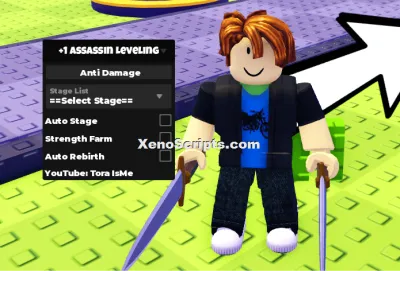
+1 Assassin Leveling

Huss Valley

Cold War
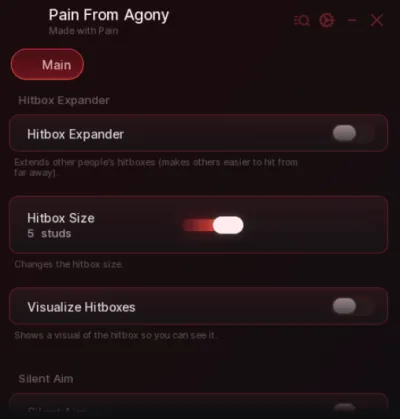
Baddies
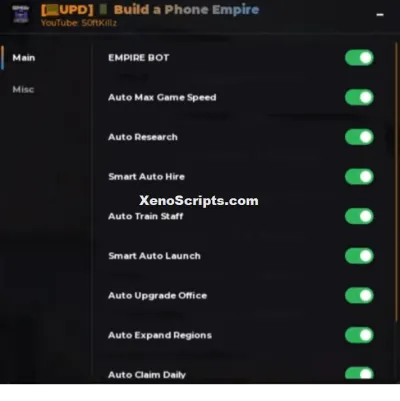
Build a Phone Empire
WRONG WAY
Boosting rockets this script to #1 on the homepage. A free account takes 30 seconds.
Log inGrab boosts and rocket your favorite scripts to the top — plus join the booster wall with the RGB ring.
⚡ Go Pro — 10 boosts/month + zero adsIt jumps to #1 in Recent Scripts and your avatar joins the booster wall.

Comments (1)
Log in to add a comment.
s90817497623Author
2 months ago
Hope you like also if you play Streetz war 2 with the script it may not load after death so just re execute it